I looked for answers to the following question on the Fractal forum but couldn’t find a solution, so I’m asking here to see if I can get one. Can I connect the VP4 through the ZMACS so that the VP4 can provide effects for all amp heads? I’d also like to try using the 4CM setup on the VP4 to place the wah effect in front of the amp heads. If this is possible, how should I connect everything?
How to make the VP4 work with Fryette’s ZMACS 4X4, Power Station 100, Marshall SC20H, Mesa Boogie Mark V, and Fractal EV1 using the 4CM method
My gear includes:
Marshall SC20H, Mesa Boogie Mark V
ZMACS 4X4 (for switching between amp heads and cabinets)
Power Station 100 (for attenuation, with the PS100’s FX Loop connected to the VP4 for effects)
VP4 (providing effects, with the Fractal EV1 controlling the VP4’s wah effect)
The issue:
I can connect the VP4 normally to the Power Station 100’s FX Loop to provide effects for the Marshall and Mesa, but this also routes the EV1-controlled wah effect from the VP4 into the FX Loop—which I don’t want. I prefer the wah to be in front of the amp heads. I tried using the 4CM (4-Cable Method) but couldn’t get it to work. Please help me analyze the correct way to set this up.
In your VP4 change the preset configuration like this:
Press HOME and then Page Right 4 times to the Mix/Routing page.
Turn SELECT counterclockwise to highlight “4CM Mode.”
Turn Knob A to select the preferred configuration of Pre and Post effects
(When a preset is configured for 4CM, this is shown in the
title bar of the home page (Ex: “4CM 2/2”.) This note turns
orange when the VP4 is bypassed because of a mismatch
between the global and preset 4CM settings.)
Save the preset to store your 4CM setting
You’re going to have to go through the manual on how to set your “pre” and “post” effects in each preset. I’m sure there are some YouTube videos on this subject as well.
I found this one from Leon Todd:
Much like the AXE-FX, you’ll need to setup the wah in the “pre” Input/Output position.
I hope that helps.
Thank you very much! Following your method and the manual, I’ve successfully achieved my goal.
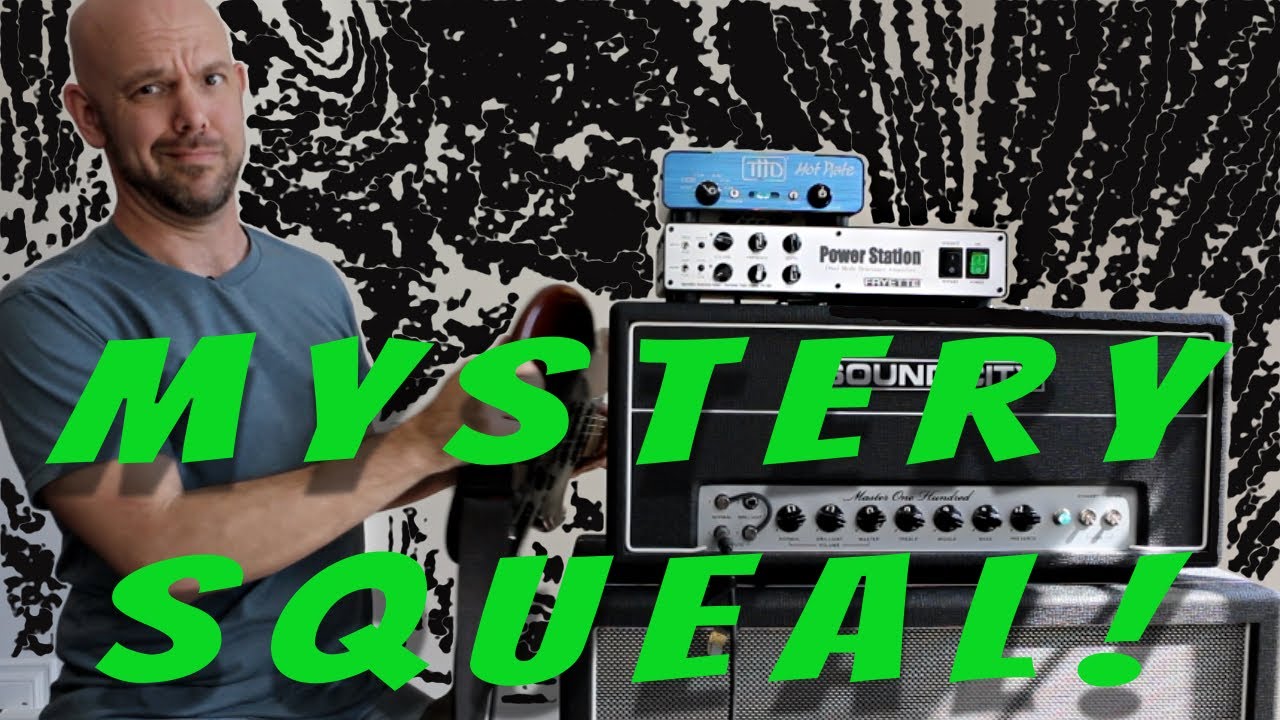
Now I’ve encountered a new issue: the clean channel on the Marshall works fine, but when using the distortion channel, there’s a sharp squealing sound. I tested other amp heads and they also have this issue—the high-gain channels all produce squealing, and it happens even when the guitar isn’t connected. I think it might be related to a ground loop. I tried plugging all devices into the same power strip and experimented with the ground lift switches on the ZMACS and PS100, but the problem persists. I’m still working on finding a solution. Do you have any suggestions?
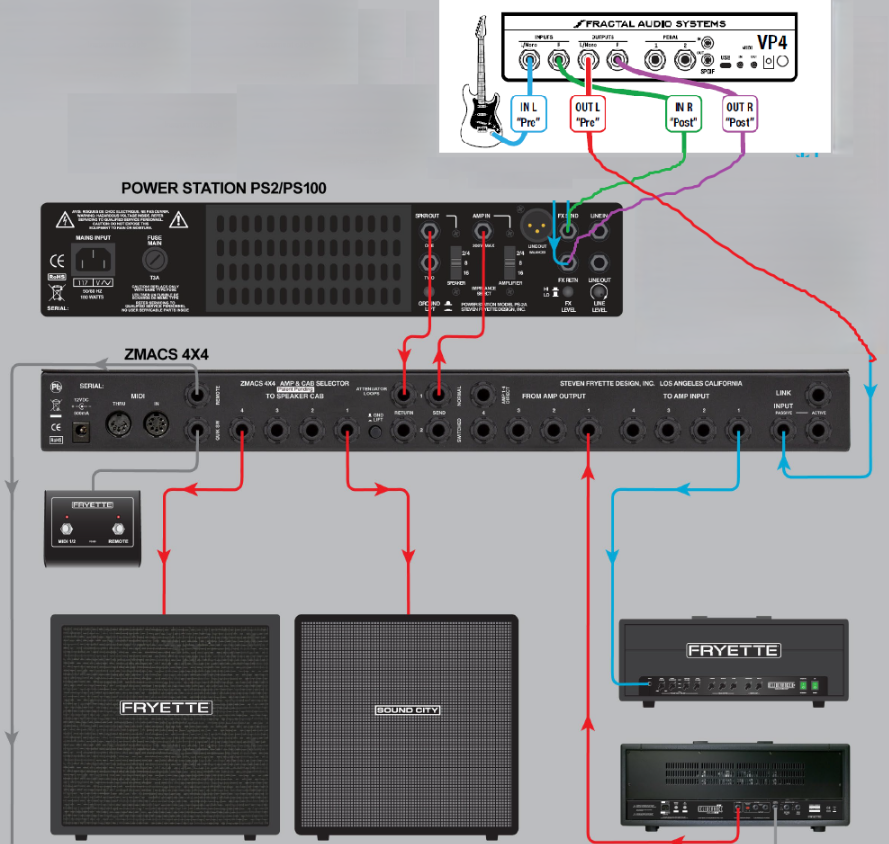
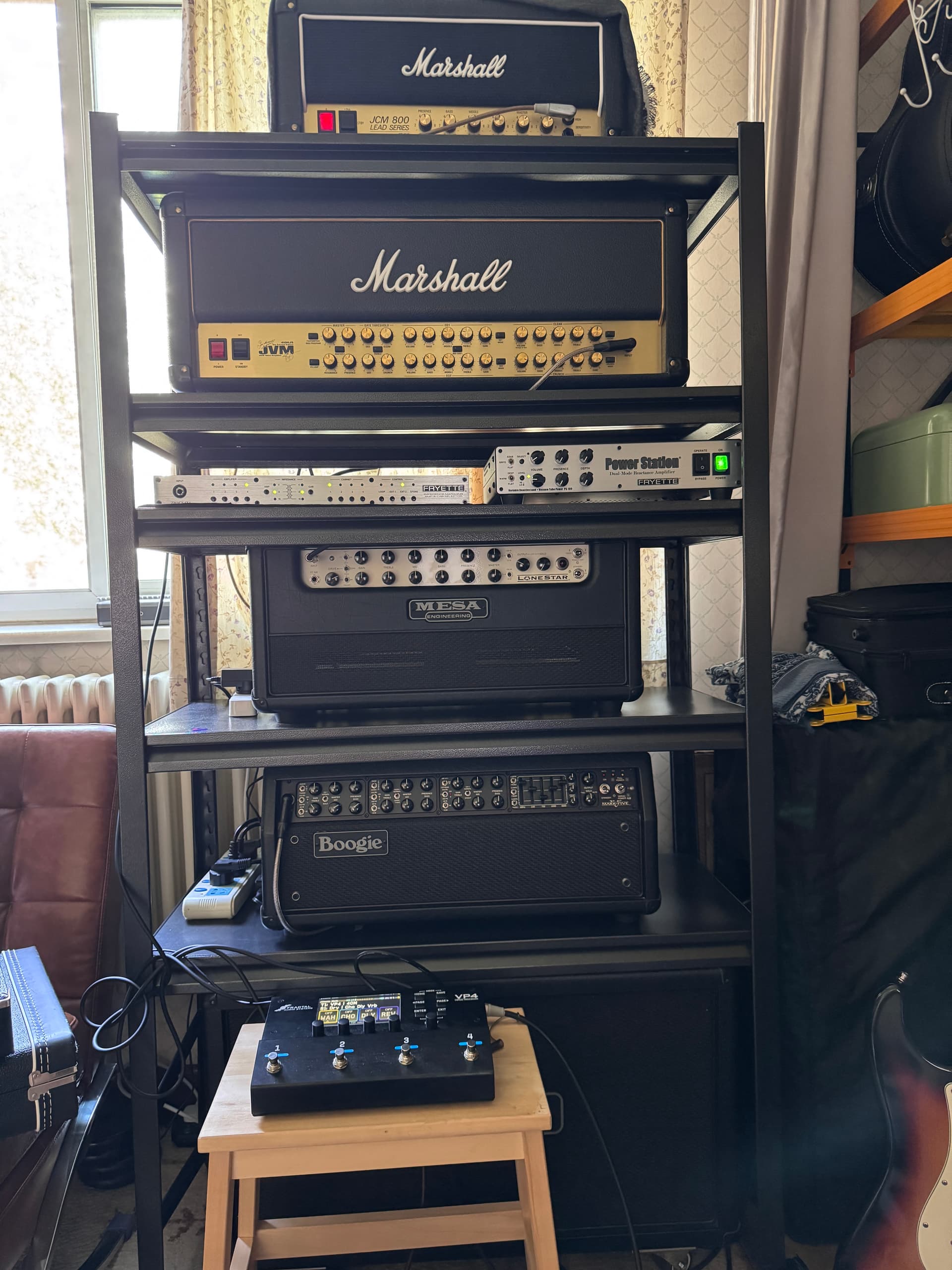
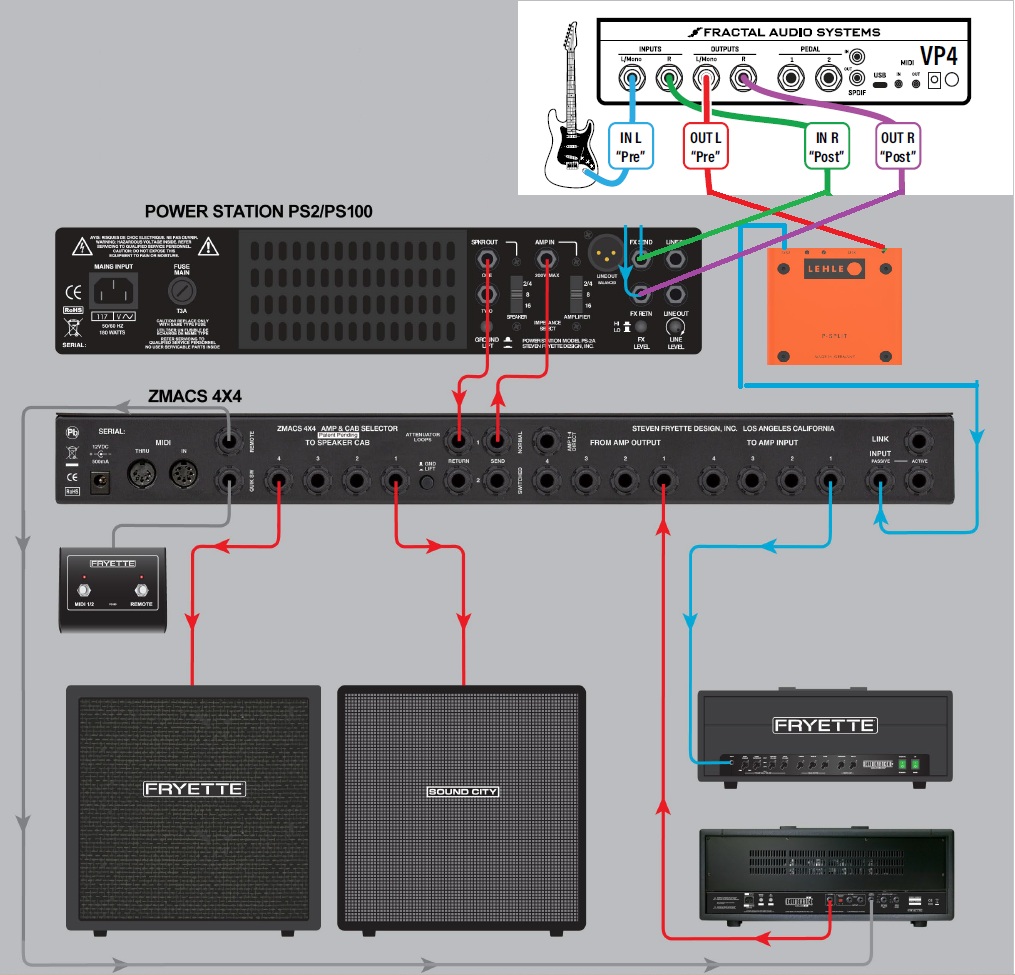
Thanks. After watching this video, I roughly understand the cause, but how can I fix it? I switched to a humbucker guitar, and the problem persists. I can only reduce the howling by turning down the amp volume, but as you know, if the JCM800 is turned down, it’s no longer a JCM800, which is why we like the PS100. Attached is my connection diagram and photos of the connected equipment; I think the connection should be fine.
I used ZMACS to connect four amps and one cabinet, switching them through ZMACS. Then I added the PS100, using it for attenuation, and the VP4, using it to provide ambient effects for all the amps. Everything went smoothly up to this point.
Then, I wanted to use the WAH effect in the VP4, so I thought I’d use the 4CM connection. With your help, I got it working, but the clean channel works fine, while the high-gain channel has issues.
I asked GPT5 (please don’t laugh at me), and they suggested connecting the VP4 as a device between the ZMACS and PS100. I can’t figure out how to do that. I wonder if being able to plug the VP4 into ZMACS would solve the problem, but I’m not sure ZMACS’s loops are designed for effects pedals like the VP4.
You really want the pre-effects before the ZMACS input. You need to place the filter/wah block in the “pre” section in all of your presets. You’re going to have to build that for every preset you want to use it with. Unfortunately, without seeing how every preset is built up, it’ll be hard to aid you in that. Maybe a video…
Chat GPT would destroy your rig to learn how not to destroy it the next time someone asks. lol. No judgment though.
Everytime I encountered issues with squealing in a variety of complex setups that include amp switcher + PS100 + pedals in an FX loop I solved it with a transformer isolated input.
The Fryette cyclops solves it but I also had success with the radial bigshot ABY.
The lehle p iso solves it as well but is overpriced for what it does and I don’t buy into the whole German engineering marketing just like with German cars only benefit to the lehle is that it doesn’t require a power source.
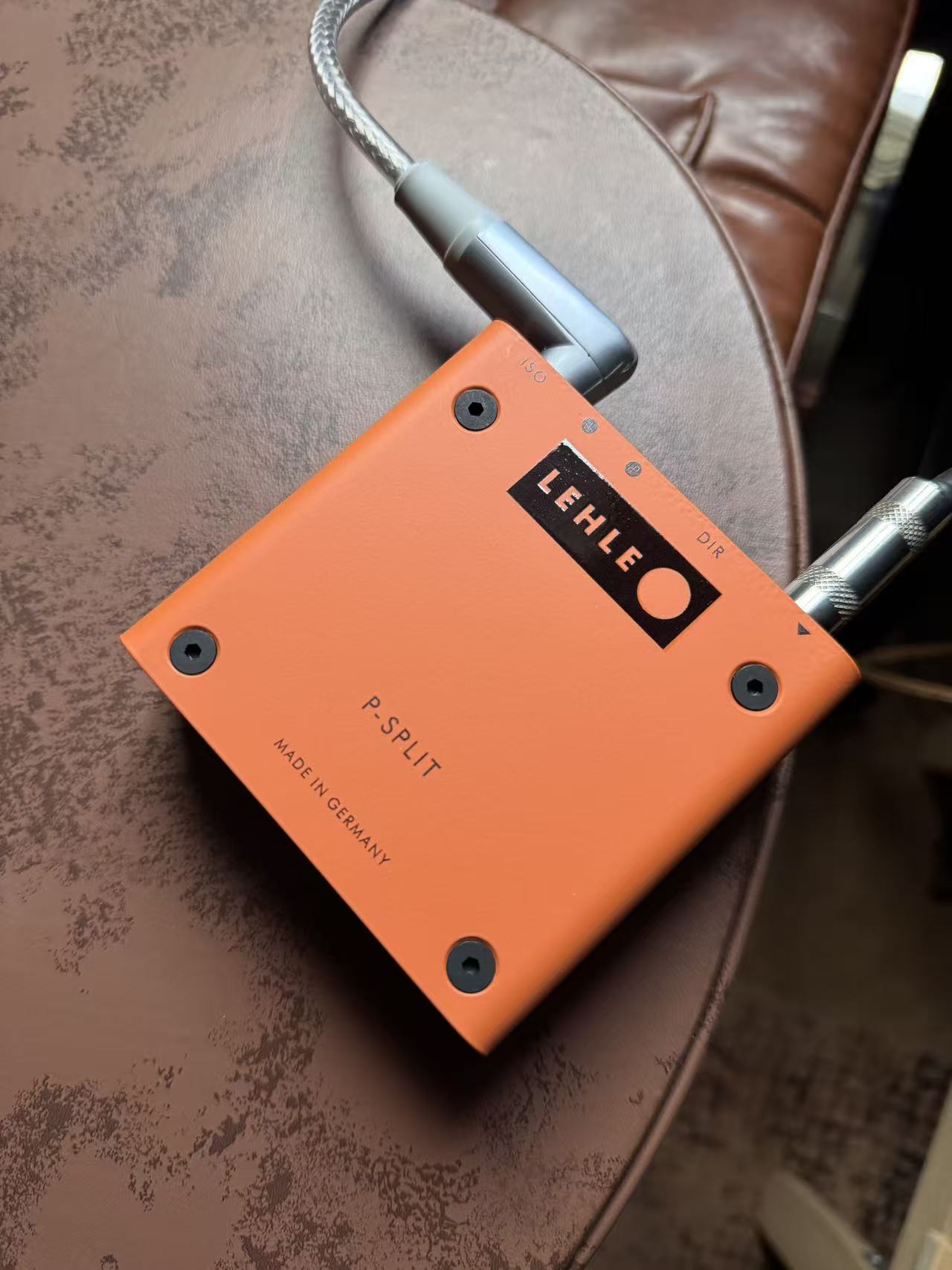
 only benefit to the lehle is that it doesn’t require a power source.