Intermittent Volume Drop — HC301 Connector Loses Contact When Warm
After months of chasing down intermittent volume drops, I think I’ve finally isolated the root cause — but I’m unsure what the correct long‑term fix is.
I’ve already replaced two full sets of tubes, reflowed solder joints, inspected multiple components, and generally exhausted the usual suspects. The symptom has always been the same: the volume suddenly drops anywhere from 50–100%.
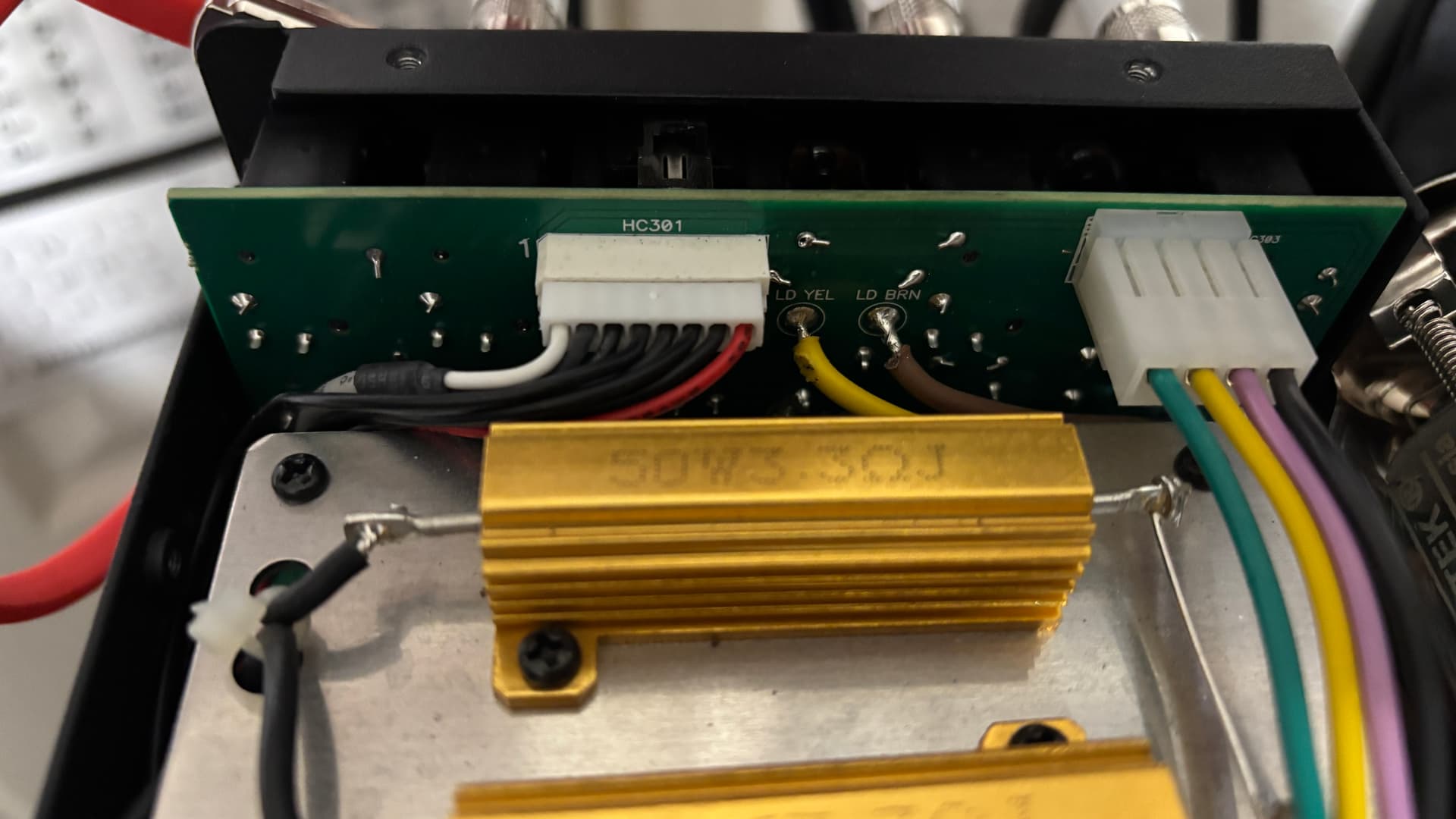
I traced the issue to the connector at HC301. Once the PS‑100 warms up, this connector loosens just enough to cause the signal to drop. The pins are extremely small, so I can’t visually confirm whether one or more contacts are losing tension or expanding with heat. A light nudge on the connector immediately restores normal operation, but the problem returns intermittently. Since I’m pressing on the connector, there could be an issue on the PCB although I think it would be a stretch.
For context, the unit normally sits on top of my speaker cabinet, so it does experience vibration. However, I’ve also tested it in a stable, non‑vibrating location, and the heat cycle alone still triggers the issue, so vibration doesn’t appear to be the primary cause.
Can this connector/PCB be shipped and replaced or is there a recommended repair procedure for this specific failure mode?
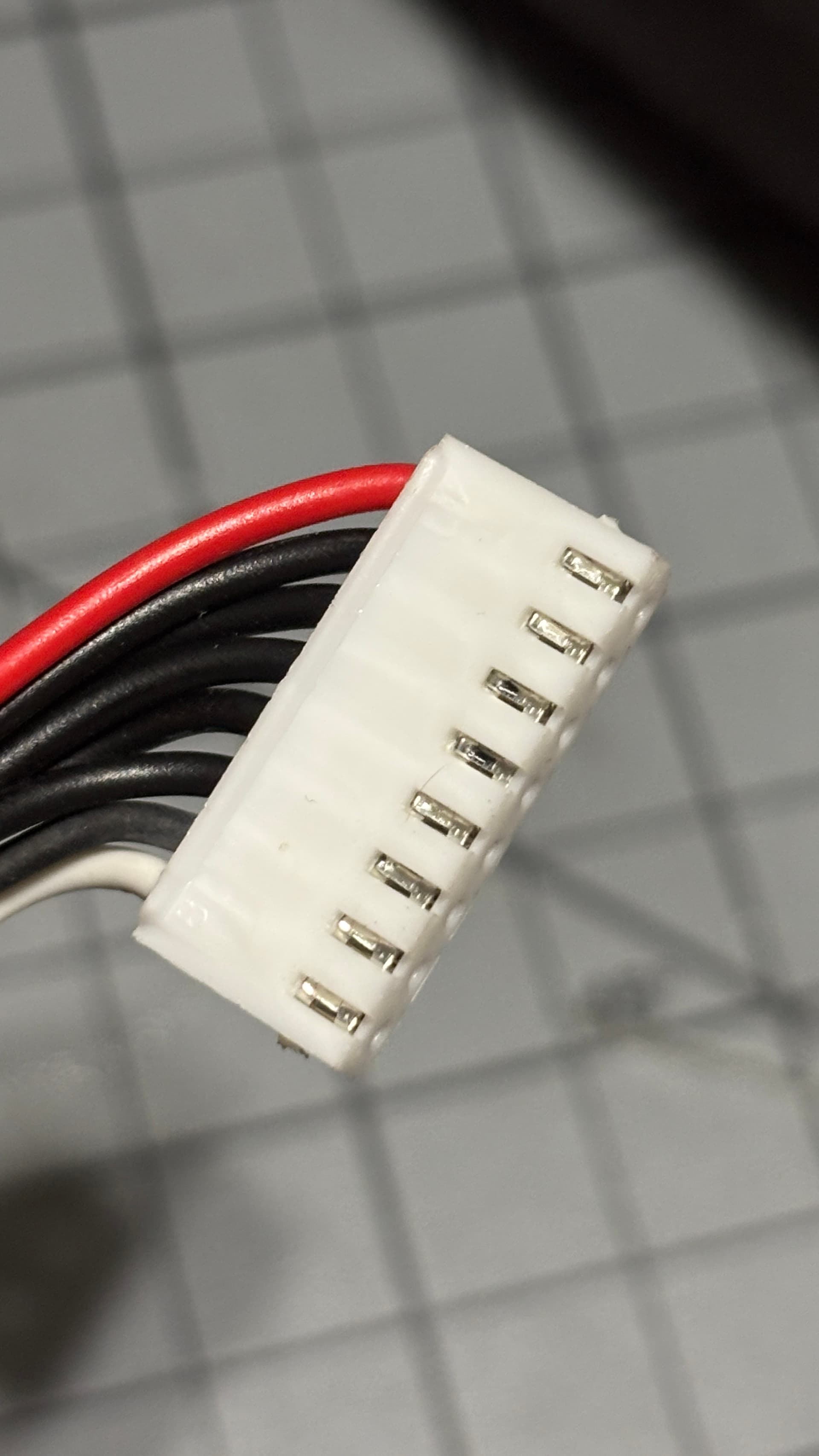
Do you think you need the socket or the housing that contains the wires? If it’s the latter, then it’s much more complicated because you will need to also have the correct crimp tool and crimps to make the cable. They might be able to send you out a cable assembly, but I would expect a labor charge for that.
Send an email to support@fryette.com
Title: Parts Request: PS-100 TC301 Replacement
Body:
Include link to forum post
Include image with the part you need circled.
Include a very short one- or two-sentence description
Include your serial number
Include your shipping address
Include your billing address
Include your full name
Include your phone number
If they have the part I’m sure they will get it out to you. If not come back to me and I’ll try and find the part number,
A very small application of contact cleaner will most likely resolve that issue.
The key contact will be the one on the far left (white wire). You could also try a very light application of additional solder on that pin. Just enough to make the solder flow more smoothly. Lead free solder is recommended.
Used a realy small flat head and tried to compress the pin at the front of the connector as best I could. Cleaned contacts with Deoxit D5. I’ll let it warm up and test out. Should have thought about this simple trick